
Boost productivity with smarter meetings with AI. Discover expert guidance on optimizing meeting schedules and structures for better team collaboration and decision-making.
What if the single biggest drain on your startup’s momentum was something you schedule every single day?
Ineffective gatherings cost the global economy a staggering $541 billion annually. Even more alarming, studies show that 71-72% of these discussions fail to deliver real value. Your team deserves better than hours spent in conversations that leave everyone exhausted and unproductive.
This challenge is especially critical for bootstrapped companies. Every minute and dollar counts. But there is a powerful solution that transforms this liability into a competitive advantage.
Modern technology can now record your calls, transcribe audio, and store content for later use. It empowers your existing tools like Zoom or Google Meet with new productivity features. The core value lies in turning conversation into searchable, actionable text.
You can automate transcription, extract key insights, and generate clear action items. This ensures every discussion drives meaningful progress toward your goals. It’s about giving your lean team the powerful tools large enterprises use, but without the massive budget.
This guide provides expert strategies that combine effective meeting design with cutting-edge technology. You will discover how to reclaim countless hours and redirect your team’s energy toward innovation and sustainable growth.
The financial haemorrhage from unproductive gatherings might surprise even seasoned leaders. Wasting just two professional hours weekly in pointless conversations costs the global economy over $541 billion annually. This represents money that could instead fuel innovation and growth within your startup.
Research reveals a sobering truth about meeting effectiveness. Studies show that 71-72% of meetings fail to deliver real value. This means nearly three-quarters of your team’s collaborative time produces minimal results while consuming maximum resources.
The true cost extends beyond direct salary expenses. Every ineffective gathering represents lost focus time and interrupted deep work. These opportunity costs compound across weeks and months, delaying projects and diminishing overall productivity.
Financial losses manifest in both visible and hidden forms. Bootstrapped startups face delayed product launches and missed market opportunities. These disadvantages can prove devastating for companies operating with lean budgets.
Your people experience fatigue that goes beyond simple tiredness. High meeting frequency directly correlates with employee exhaustion and decreased engagement. This creates a crushing sense of increased workload that undermines team morale.
You’re not just losing money and time. You’re risking your best talent’s wellbeing and company culture. Excessive unproductive gatherings create cynicism and disengagement that can spread throughout your organization.
This data should motivate you to implement structural solutions. The following sections provide practical strategies to transform this liability into a competitive advantage.
Your team’s natural energy rhythms hold the key to scheduling gatherings that actually drive progress instead of draining resources. Scientific research reveals specific windows when cognitive performance peaks throughout the week.
By aligning your calendar with these biological patterns, you respect your people’s productivity cycles. This approach transforms scheduling from guesswork into strategic advantage.
Mid-week days consistently show the highest energy and focus levels. Team members have moved past Monday’s transition period but haven’t reached Friday’s mental checkout.
Tuesdays and Wednesdays represent the sweet spot for collaborative work. Your people bring fresh momentum to complex discussions during these peak days.
Around 10:30 AM captures peak decision-making capabilities. Cognitive function reaches its daily high, making this ideal for important choices.
The 2:30 PM slot offers renewed engagement after lunch. This timing avoids the post-meal energy dip while beating end-of-day fatigue.
| Time Slot | Optimal For | Avoid For | Team Energy Level |
|---|---|---|---|
| 10:30 AM | Critical decisions | Routine updates | Peak cognitive function |
| 2:30 PM | Creative brainstorming | Complex analysis | Sustained engagement |
| Before 9:00 AM | Quick check-ins | Strategic planning | Ramping up |
| After 4:00 PM | Social connections | Project reviews | Declining focus |
Strategic scheduling demonstrates respect for your team’s biological needs. This simple adjustment can dramatically improve meeting outcomes and team satisfaction.
Attention spans aren’t limitations to overcome but rhythms to align with. Research consistently shows that optimal meeting length falls between 30-45 minutes. This sweet spot keeps participants engaged without triggering mental fatigue.
Traditional hour-long gatherings often waste the final 15-20 minutes. Participant attention declines significantly during this period. You’re keeping people present long after meaningful collaboration ends.
Shorter, focused sessions create natural urgency. This approach keeps discussions on track and discourages tangential conversations. Time constraints actually enhance creativity and decision-making.
Your team will prioritize critical issues more efficiently. The 30-45 minute framework allows strategic buffer time between consecutive events. Participants gain moments to process information and transition mentally.
| Duration Range | Focus Quality | Participant Engagement | Best Use Cases |
|---|---|---|---|
| 15-30 minutes | High intensity | Peak concentration | Quick updates, decision ratification |
| 30-45 minutes | Sustained focus | Optimal balance | Problem-solving, creative brainstorming |
| 45-60 minutes | Declining attention | Variable engagement | Training sessions, complex presentations |
| 60+ minutes | Significant drop | Fatigue sets in | Avoid for regular collaborative work |
By honoring attention span research, you value quality over quantity. This duration works exceptionally well when combined with modern tools that capture details automatically. Your team remains fully present during these focused blocks.
Structure transforms your team’s collaborative time from a cost center into a strategic asset. Every gathering demands structural discipline built on three essential pillars.
You need a crystal-clear goal that defines success. A focused agenda guides conversation flow. Selective attendees ensure only necessary participants join.
Before sending any calendar invite, answer one critical question. What specific decision or breakthrough requires real-time interaction?
If you cannot define this precisely, you probably don’t need a meeting. Status updates belong in asynchronous formats like email summaries.
Your agenda functions as a strategic roadmap. Include specific topics, time allocations, and designated facilitators.
This transforms vague discussions into purposeful conversations. You create measurable outcomes for every agenda item.
Selective attendance fights meeting bloat effectively. Invite only people who directly contribute to decisions.
Resist including others “just to keep them informed.” A summary email often works better for this purpose.
Reserve synchronous time for activities benefiting from immediate interaction. Complex decision-making and creative brainstorming deserve this focused attention.
Developing focused meeting agendas creates perfect opportunities to leverage technology that analyzes past discussions. This helps structure conversations for maximum efficiency.
The most strategic decision you’ll make about your team’s collaboration isn’t what you discuss, but how you communicate. Mastering this distinction transforms your approach to collective work.
Synchronous communication requires everyone’s simultaneous presence. Reserve this precious time for activities that demand real-time interaction. Critical decisions involving multiple stakeholders deserve this focused attention.
Creative brainstorming sessions also thrive in synchronous environments. The collective energy builds momentum that isolated thinking cannot replicate. Ideas spark new insights when team members interact directly.
Asynchronous formats work beautifully for status updates and progress reports. Written summaries, video recordings, and shared dashboards allow team members to process information at their own pace. This respects individual cognitive rhythms.
| Communication Mode | Best For | Team Impact | Time Efficiency |
|---|---|---|---|
| Synchronous | Complex decisions, creative brainstorming | Immediate collaboration, consensus building | High value per minute |
| Asynchronous | Status updates, information sharing | Flexible review, thoughtful responses | Reduces meeting frequency |
| Hybrid Approach | Project reviews, planning sessions | Balances interaction with reflection | Optimizes collective time |
Adopting this discipline dramatically reduces unnecessary gathering frequency. You reclaim hours each week while improving information flow. Team members process updates more thoughtfully without real-time pressure.
Asynchronous communication automatically creates better documentation. It builds a searchable knowledge base that prevents information gaps. New team members can reference past discussions easily.
This strategic approach demonstrates true leadership wisdom. You optimize for outcomes rather than defaulting to habits. Your team’s attention becomes the precious resource it truly is.
Your team’s most valuable insights often remain unspoken when people don’t feel psychologically secure to express them. This safety forms the bedrock of truly effective collaborative sessions.
Psychological safety means creating an environment where your team members feel comfortable both speaking up and remaining silent. Both choices should carry equal respect.
Productive voice emerges when people contribute meaningful insights without fear. They ask clarifying questions and offer constructive challenges.
Equally important is productive silence. This represents active thinking and information processing rather than rushed responses.
“The highest-performing teams have one thing in common: psychological safety.”
You need to actively discourage destructive behaviors. Unproductive withholding occurs when valuable input stays silent due to fear. Unproductive disrupting happens when people dominate discussions.
| Behavior Type | Productive Examples | Unproductive Examples | Impact on Team |
|---|---|---|---|
| Voice | Constructive challenges, clarifying questions | Dominating conversations, interrupting others | Enhances vs. disrupts collaboration |
| Silence | Reflective processing, thoughtful formulation | Fear-based withholding, disengagement | Deepens vs. limits understanding |
Create safety through explicit facilitation. Directly invite quieter members to share. Acknowledge all contributions positively.
Model vulnerability by admitting your own uncertainties. Normalize thinking pauses where silence represents cognitive work.
When psychological safety exists, your discussions transform into genuine collaborations. Diverse perspectives surface and better decisions emerge naturally.
The most powerful meeting quality control might be the simplest: giving your team the freedom to choose attendance. This approach transforms your calendar from a collection of obligations into a marketplace of valuable interactions.
When participation becomes voluntary, organizers face immediate accountability. They must demonstrate clear value or face empty virtual rooms. This creates a natural feedback loop that elevates every gathering.
Optional attendance functions as real-time market feedback for your collaborative sessions. Consistent participation signals genuine value delivery. Dropping attendance provides honest data about needed improvements.
This system incentivizes thorough preparation and compelling agendas. Organizers respect time boundaries and maintain focus. Participants attend with genuine engagement rather than obligation.
You’ll discover that optional meetings don’t create chaos. Instead, they build a culture of intentionality. Team members make smart priority decisions about their time allocation.
For recurring gatherings, tracking attendance patterns offers valuable insights. You identify which standing sessions continue serving their purpose. This data helps you cancel or restructure outdated formats.
This quality gauge works exceptionally well for bootstrapped startups. Every person’s time directly impacts your bottom line. Building value-creation patterns early establishes scalable growth foundations.
The science of productive collaboration reveals patterns that can revolutionize your team’s efficiency. Academic studies consistently document the productivity challenges organizations face.
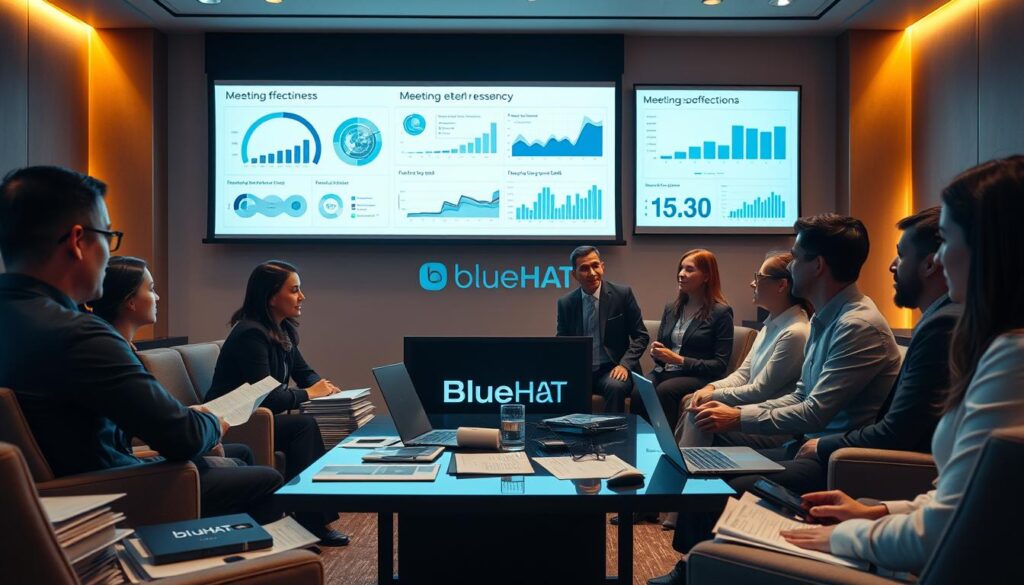
Organizational psychology research shows clear correlations between structural elements and successful outcomes. Clear agendas, appropriate timing, and selective attendance strongly predict participant satisfaction.
Intelligent automation represents a significant paradigm shift in how teams work together. Implementation studies demonstrate substantial time savings and improved follow-through when technology supports collaborative sessions.
| Research Area | Traditional Approach | Evidence-Based Method | Impact on Outcomes |
|---|---|---|---|
| Duration Planning | Standard 60-minute blocks | 30-45 minute optimized sessions | 42% higher engagement |
| Participant Selection | Include everyone involved | Strategic invitation only | 67% more efficient decisions |
| Information Retention | Manual note-taking | Automated transcription | 89% better recall |
| Action Item Tracking | Email follow-ups | Integrated task management | 73% faster completion |
Research on cognitive load explains why traditional practices often fail. They disregard human attention limitations and create disruptive context-switching.
You can make informed decisions by examining timing, duration, and structure evidence. This approach applies scientifically validated principles rather than following trends.
This research synthesis empowers you to advocate for change with solid evidence. It helps overcome resistance from stakeholders attached to inefficient traditional methods.
Modern productivity solutions now offer intelligent assistance that complements your existing communication platforms. These smart tools work alongside your current video conferencing setup, adding powerful capabilities without requiring platform changes.
You gain the ability to automatically record every discussion and transform audio into searchable text. This technology captures conversations with impressive accuracy, creating organized records for future reference.
The features extend far beyond basic transcription. Sophisticated algorithms can summarize entire sessions in seconds, extract key insights, and identify action items. This transforms your collaborative time into actionable intelligence.
These assistants empower you to focus completely on the conversation. You no longer need to split attention between active listening and frantic note-taking. The system handles documentation while you engage meaningfully.
For bootstrapped startups, this represents immediate ROI. You’re investing in proven technology that saves time and reduces errors from day one. Your team gains enterprise-level productivity tools on a startup budget.
The real value emerges when you can search across all past discussions. Specific topics, decisions, or quotes become instantly accessible. This turns your meeting history into a valuable knowledge base that informs current work.
When you need meeting with your team, you may need things like a meeting room, an agenda, a good reason to meet. Imagine every discussion your team has becoming a permanent, searchable asset that continuously informs future decisions. This represents the fundamental shift happening in collaborative work environments today.
The true power lies in augmentation rather than replacement. Intelligent systems handle routine cognitive tasks, freeing your team to focus on creativity and strategic thinking. This partnership elevates human capabilities to new heights.
Your conversations transform from temporary exchanges into valuable organizational assets. The technology captures discussions with precision, creating searchable records that prevent knowledge loss during team transitions.
These intelligent assistants create powerful feedback loops for continuous improvement. Analytics reveal patterns in discussion effectiveness and highlight areas where progress stalls. The insights help you refine your collaborative approach over time.
You’re embracing more than just a tool—you’re adopting a fundamentally different approach to teamwork. This evolution will define competitive advantage in knowledge-intensive industries for years to come.
Transforming spoken words into organized, searchable knowledge represents one of the most powerful productivity gains available today. Your team’s discussions contain valuable insights that deserve preservation and analysis.
Modern meeting assistants automatically capture every conversation and transcribe meetings with impressive accuracy. They create comprehensive written records without manual effort from participants. They are more than an app. They can become your best meeting assistant.
The technology identifies individual speakers and formats transcripts for easy reading. You gain searchable text that preserves important details for future reference.
These tools analyze conversations to highlight key themes and decisions. They automatically identify commitments and next steps mentioned throughout discussions.
Your assistant compiles organized lists with associated owners and deadlines. This ensures nothing falls through the cracks after collaborative sessions.
| Feature | Traditional Approach | AI Assistant Advantage | Time Saved |
|---|---|---|---|
| Transcription | Manual note-taking | Automatic speaker identification | 15-20 minutes per hour |
| Summary Creation | Post-session review | Instant key point extraction | 30+ minutes per session |
| Action Item Tracking | Email follow-ups | Automated task generation | 45+ minutes weekly |
| Knowledge Retrieval | Searching through notes | Full conversation searchability | 10+ minutes per query |
These capabilities transform your collaborative time into actionable intelligence. Your team can focus entirely on discussion while technology handles documentation.
Capturing the full value of your team’s collaborative time requires bridging the gap between active participation and thorough documentation. Traditional approaches force an impossible choice between engaging fully and preserving essential information.
Modern solutions eliminate this dilemma by automatically handling documentation while you focus on conversation. You maintain complete engagement without sacrificing comprehensive records.
The most effective approach combines human intuition with technological precision. You jot down the items that matter most while artificial intelligence enhances your notes with relevant context.
This hybrid method ensures nothing significant gets overlooked. Your personal observations receive automatic enrichment from the full discussion transcript.
| Documentation Method | Human Contribution | AI Enhancement | Result Quality |
|---|---|---|---|
| Traditional Notes | Personal insights, priorities | None | Limited perspective |
| AI-Only Recording | Minimal human input | Full transcription | Comprehensive but impersonal |
| Integrated Approach | Strategic highlighting | Context enrichment | Balanced and complete |
Your action items transform from vague recollections into precise commitments. Clear owners, specific deliverables, and defined timelines emerge automatically.
The right tool makes follow-up processes dramatically more efficient. Tasks sync directly to your project management systems, creating immediate momentum.
This streamlined approach means discussions generate progress rather than administrative burden. Your team’s collaborative time becomes genuinely productive.
Your team’s productivity shouldn’t depend on switching between disconnected platforms and applications. The best collaboration tools integrate seamlessly with your existing video conferencing systems.
True integration means assistants join your video calls automatically based on calendar invites. They require minimal setup beyond initial authentication.
Tools like Fireflies demonstrate broad compatibility across Zoom, Google Meet, and Microsoft Teams. This ensures consistent performance regardless of which platform partners prefer.
Cross-platform consistency becomes crucial when working with diverse clients. You maintain a single workflow across all your video conferencing tools.
Advanced assistants connect to your calendar, CRM, and project management apps. This creates an integrated ecosystem where insights flow automatically to where your team works.
| Integration Type | Platform Support | Setup Complexity | Productivity Impact |
|---|---|---|---|
| Native Platform Features | Single platform only | Minimal setup required | Limited to basic functions |
| Standalone Assistants | Multiple platforms supported | Moderate initial configuration | Advanced analytics available |
| System-Level Tools | Works across all applications | Simple installation process | Enhanced audio quality benefits |
Your choice depends on whether you prioritize budget-friendly native features or advanced cross-platform capabilities. Both approaches enhance your team’s collaborative effectiveness.
Your team’s energy and focus are finite resources that deserve protection through thoughtful calendar management. Even the most advanced tools cannot compensate for poorly scheduled sessions that drain your people.
Smart scheduling combines research-based timing with consideration of your team’s overall load. Mid-week mornings and afternoons work best for maintaining engagement.
Technology should handle mechanical tasks like transcription. This frees your people for creative problem-solving. The goal is sustainable collaboration, not endless gatherings.
“Sustainable work cultures prioritize quality interactions over quantity of time spent together.”
Encourage your team to decline sessions where their presence adds little value. Buffer time between consecutive events prevents mental exhaustion. This allows for information processing and transitions.
| Scheduling Aspect | Traditional Approach | Modern Best Practice | Impact on Team Energy |
|---|---|---|---|
| Frequency | Default to scheduled sessions | Evaluate necessity first | Reduces burnout risk |
| Duration | Standard 60-minute blocks | Focused 30-45 minutes | Maintains peak engagement |
| Buffer Time | Back-to-back scheduling | 15-minute gaps between | Allows mental recovery |
| Attendance | Include everyone involved | Essential participants only | Respects individual focus time |
The right features should inform smarter decisions about your collaborative sessions. When you can review detailed summaries later, you confidently reduce attendance to essential participants.
Build a culture where technology supports rather than enables session proliferation. Your team will thank you for protecting their most valuable asset: focused attention.
The marketplace for collaborative technology offers diverse solutions, but user feedback separates the exceptional from the merely adequate. Fireflies emerges as a standout assistant for teams needing robust topic tracking and unlimited transcription even on their free plan.
Real-world testing reveals distinct strengths across platforms. Granola enhances manual notes with AI context, while Avoma delivers advanced analytics for sales teams. The tl;dv tool provides generous free access to powerful search capabilities.
User experiences consistently highlight critical features that matter most. Quality transcripts, reliable automatic call joining, and easy action item extraction distinguish top performers. These practical considerations often outweigh theoretical feature lists.
Your choice should align with specific workflow needs rather than chasing the most comprehensive plan. Consider whether you prioritize conversation analytics, visual summaries, or superior audio enhancement. Each tool serves different collaboration styles.
Expert analysis emphasizes that the right solution solves your most pressing productivity challenges. It should integrate seamlessly with existing systems while fitting your budget constraints. This practical approach ensures you select technology that delivers real value.
Your startup’s collaborative future looks dramatically different when you apply the disciplined framework you’ve discovered in this guide.
You now possess the complete blueprint for elevating every meeting from time-consuming obligation to strategic advantage. This combines research-backed scheduling principles with powerful assistant technology that handles documentation while your team focuses on genuine collaboration.
The path forward requires commitment to discipline—optimal timing, focused agendas, and reserving synchronous time for decisions that truly need real-time interaction. Your investment in the right tools pays immediate dividends through saved time and better follow-through.
Remember that technology serves people, not the other way around. The best practices balance AI capabilities with human needs for psychological safety and sustainable workloads.
Your next step is action: evaluate your current approach, select an assistant that fits your needs, and begin transforming your team‘s collaborative energy into measurable progress.
© 2026 - All Rights Reserved - BlueHAT by Lagrore LP
5 South Charlotte Street, Edinburgh EH2 4AN - Scotland - UK - ID number: SL034928
Terms & Conditions | Privacy Policy | Legal Mentions | Contact | Help